/ BUYING GUIDES ● A KURLECTIVE STORY
Small Bedroom Gaming Setup Ideas: Desks, Monitors & More.
Small bedroom gaming setup ideas for UK homes: plan the desk and chair clearance, choose a sensible screen and leave room for the cables, keyboard and accessories you will use every day.
Kurlective may earn a commission if you buy through links on this page. It doesn't change the price you pay.

Our picks at a glance
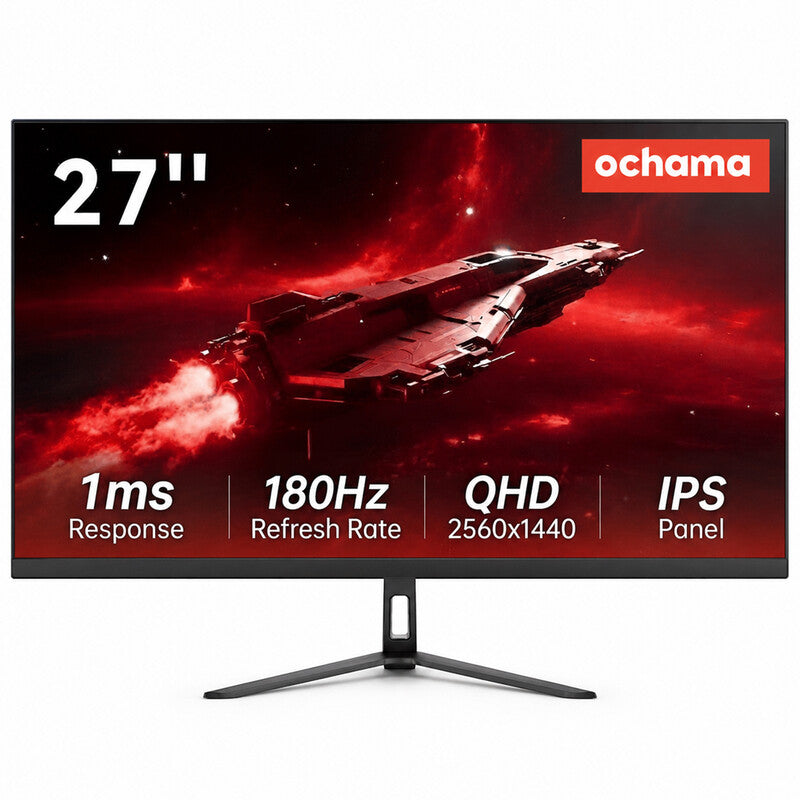
- For a small gaming corner: Ochama 27-inch QHD 180Hz Gaming Monitor from Joybuy.
- For storage without a separate shelving unit: 1.2m Lattimore Desk with 3-Tier Open Shelves from Sunjoy UK.
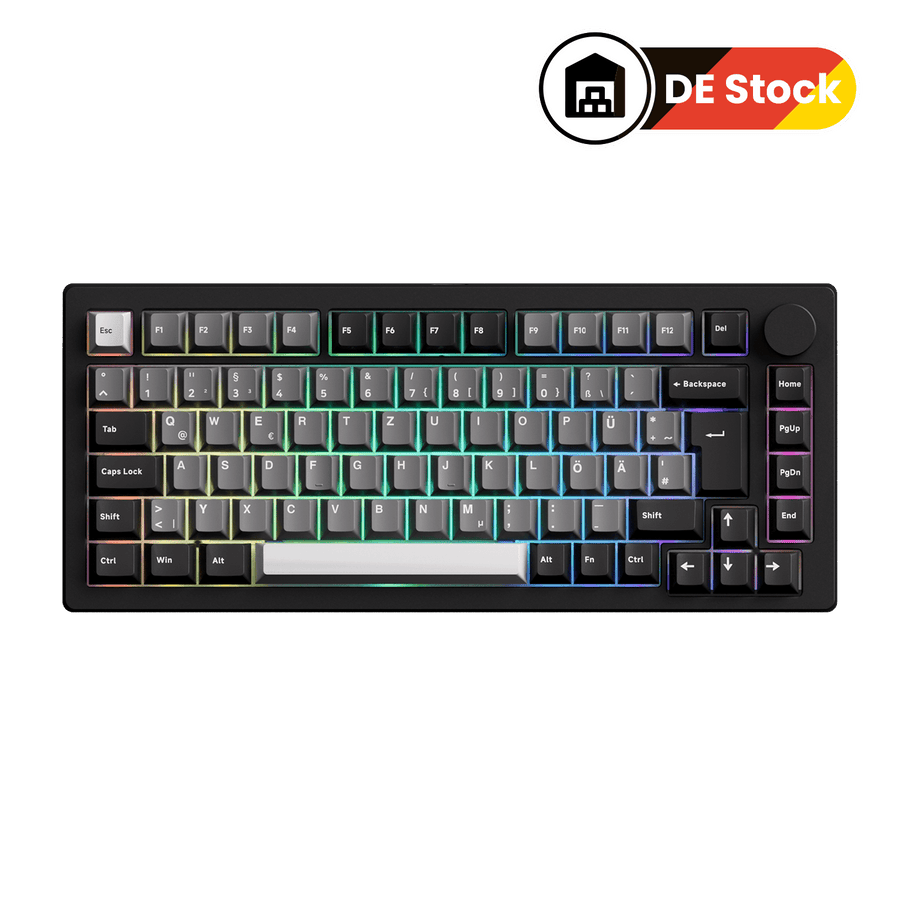
- For more mouse space: MonsGeek M1 V5 75% keyboard from Akko.
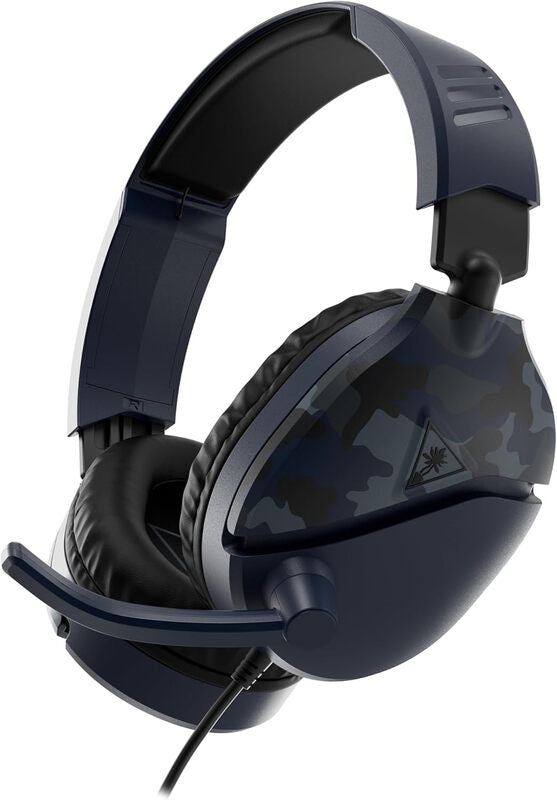
- For quiet gaming: Turtle Beach Recon 70 from Joybuy.
- For PC controls: Razer Basilisk V3 Pro from Joybuy.
How we chose
We chose these picks by comparing product details and specifications from retailers we work with against what matters in a home gaming setup: comfort over long sessions, compatibility with the kit you already own, and sensible upgrade paths. We don't run lab tests or benchmark products ourselves. Where a retailer's listing was thin on detail, we've said what to check before you buy.
Small bedroom gaming setup: plan the room before the gear
Small gamer room ideas often start with lights and a dramatic desk, but a compact setup only feels good when you still have room to move. Whether you play on a console, PC or laptop, plan the bed, door swing and chair clearance before buying anything. A tidy setup with a comfortable screen position will usually serve you better than a crowded one with extra accessories.
Put the desk where it will actually fit
In a small bedroom, one desk against a clear wall is often easier to live with than an L-shaped arrangement. Measure the usable surface for your screen, keyboard and mouse, then the floor behind the chair. If you use a monitor arm or wall-mounted shelf, check the wall, desk and fixings are suitable for the weight; don't assume every budget desk can take a clamp.
Keep the gaming corner separate from the bed
Where possible, keep the screen out of the main walking route and leave access to sockets and windows. Put frequently used controllers, headphones and chargers within reach. A shallow shelf or hooks can free up desk space, while simple cable clips make it easier to clean and avoid catching cables with the chair. Avoid trailing extension leads across a doorway.
Buy upgrades in the right order
Start with the display and the way you control the game, then consider comfortable audio and cable management. Check whether peripherals work with your actual console or computer before buying them. Lighting can make the corner feel more deliberate, but it should not create reflections on the screen. A small-room setup is successful when you can use it for hours and still use the bedroom as a bedroom.
Shop the Small Room Setups edit for compact-room gaming gear. Check individual dimensions, connections and the retailer's current availability before ordering.
Building a gaming setup in the right order
1. Screen first
For a desk-based PC gaming setup, 24 inches at Full HD is a comfortable size at arm's length, and it's easy for a mid-range graphics card to drive. Check the refresh rate (higher means smoother motion; PC players usually look for 144Hz or more), the inputs (HDMI for consoles, DisplayPort for most PCs) and whether the stand adjusts for height.
If you play on PS5 or Xbox Series X|S, the console outputs at 60Hz or 120Hz. To get 120Hz you need a screen that supports it over HDMI, and 4K at 120Hz needs HDMI 2.1.
2. Seating and desk height
Whatever chair you use, aim for:
- Feet flat on the floor, knees roughly level with your hips.
- Forearms level with the desk, shoulders relaxed rather than hunched.
- The top of the screen at or just below eye level, about an arm's length away.
- A desk deep enough that your keyboard and mouse aren't pushing the screen too close.
A supportive office chair that adjusts properly often does more for comfort than a "gaming" chair that doesn't. If your desk is too high, raise the chair and add a footrest.
3. Audio and controls
Headphones keep the peace in a shared home and help you hear footsteps. Wired audio avoids the slight delay Bluetooth can add. Then sort your inputs: a controller for console-style games, and on PC, a compact keyboard that leaves room for the mouse.
4. Storage, then performance
A fast SSD or memory card is usually the next upgrade. Only then look at processors and motherboards, and check every part's socket and compatibility before buying.
The picks
Ochama 27-inch QHD 180Hz Gaming Monitor
The Ochama gaming monitor is listed as a 27-inch QHD IPS display with a 180Hz refresh rate. It is a useful gaming-first option if the desk has enough depth. Check the required graphics performance, stand footprint and cable compatibility before choosing it.
1.2m Lattimore Desk with 3-Tier Open Shelves
The Lattimore desk combines a work surface with three open shelves for keeping accessories off the desktop. Check its footprint, legroom and supported load in your room. If you need the space back daily, a folding desk remains an alternative, but make sure the surface can safely support your equipment.
MonsGeek M1 V5 VIA ISO Mechanical Keyboard
This 75% keyboard has 83 keys and a reported width of 335mm, leaving more room for the mouse than a full-width keyboard. Akko lists wired, Bluetooth and 2.4GHz connections. Check the exact keycap layout and device compatibility before buying; an ISO physical layout alone does not establish the printed UK key arrangement.
Turtle Beach Recon 70 Gaming Headset
The Recon 70 is a wired over-ear gaming headset with a flip-to-mute microphone. Its listing names several Xbox, PlayStation, Nintendo Switch and PC platforms, making it worth considering when a shared bedroom or thin walls make speakers impractical. Confirm the connection supported by your device and how you'll route the headset cable so it does not snag on the chair.
Razer Basilisk V3 Pro Wireless Gaming Mouse
For PC gaming, the Basilisk V3 Pro offers programmable buttons and wired, Bluetooth or 2.4GHz wireless modes according to the retailer. That flexibility is useful when the desk doubles as a workspace. It is not the cheapest or smallest mouse, so check grip size, platform compatibility and whether you really need the extra controls before paying for it.
For a quicker product shortlist, compare the current Gaming Gear and Gaming Accessories edits. Product pricing and availability can change at the retailer.
FAQs
What do I need for a basic gaming setup?
A screen, a comfortable chair at the right height, a desk or stand, your console or PC, and something to listen with. A controller or mouse and keyboard comes next.
Is a gaming chair necessary?
No. What matters is adjustability: seat height, back support and armrests that let your shoulders relax. A good office chair often does the job just as well.
What size monitor is best for a desk gaming setup?
For most desks, 24 to 27 inches works well at arm's length. A 24-inch Full HD screen is easy to run on modest hardware, while larger or higher-resolution screens need a more powerful graphics card.
What should I upgrade first in a PC gaming setup?
If games take ages to load or you keep deleting things to make room, start with an SSD. If games stutter in busy scenes, look at the graphics card or processor, checking compatibility with your motherboard first.
Can I use an Xbox controller on PC?
Yes. The Xbox Wireless Controller lists Windows PC compatibility, and you can connect it with a USB cable, by Bluetooth on Windows 10 or 11, or with an Xbox Wireless Adapter.
See more in our Gaming Setup edit.
As an Amazon Associate, Kurlective earns from qualifying purchases.
/ INSPIRED BY THIS STORY
Shop the story.
Pieces worth a closer look, inspired by this story.


Browse these pieces on Kurlective. Check current availability with the retailer. Kurlective may earn a commission from qualifying retailer links.